


Playnix - HD Video Player Home
4.55.00 Reviews
App Specs
- Version
- 5.0
- Updated On
- License
- Free
- Downloads
- 50,000+
- Developer
- FusionGrid Studio
- Categories
- Video Players & Editors
- Platform
- Android
Screenshots



 Analysis by AppCompare
I approached Playnix as an app for people who want more than a basic video player on an Android device. Its role sits between everyday media playback, private storage, short-form entertainment, and quick access to connected-home tools. That combination makes the first impression slightly different from opening a conventional player, but it also gives the app a clear appeal: I can imagine using it as a single screen for several kinds of media rather than keeping separate apps for every task.
Playnix is free, developed by FusionGrid Studio, and listed for Everyone. It belongs to the video players and editors category, although its wider feature set reaches beyond simply pressing play. The current version is 5.0, and it works with Android 8.0 or later. The app has passed fifty thousand installs and holds a 4.5 average from twenty-three ratings, with five written reviews. Those figures suggest a small but positive user base, so I would treat it as an interesting practical tool rather than a universally established replacement for every media app.
What to expect when you open Playnix
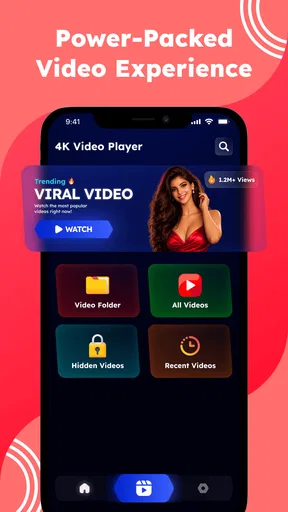
The most important thing to understand before installing it is that Playnix is not presented as only a file browser with playback controls. Its identity combines an HD video player, a private vault, viral shorts, and a smart home launcher. In everyday terms, I would expect the opening experience to feel more like a media dashboard than a narrow player designed for one job.
That broader approach can be useful if your phone is where you watch downloaded clips, keep personal videos, browse short entertainment, and reach home-related controls. It can also create a little uncertainty for a first-time user. Someone looking only for a clean player may wonder why the app includes areas unrelated to watching a local movie. My advice is to judge Playnix by the way these functions fit together, not by comparing it only with a minimalist player.
The strongest reason to try it is convenience. If I am moving between a saved video and a short clip, having both experiences available in one place reduces app switching. The private vault adds a separate reason to keep the app installed: personal recordings or sensitive clips can have a more discreet home than the ordinary gallery. The smart home launcher is another practical shortcut, especially for someone who prefers a media-centered starting point on a phone or tablet.
At the same time, this is a bundled experience, and bundles always involve trade-offs. A dedicated video player may feel faster to understand because every screen is focused on playback. A dedicated vault may offer a more specialized privacy workflow. A dedicated smart home application may provide deeper device controls. Playnix makes more sense when you value having these entry points together and can accept that none of them is necessarily the only reason to use the app.
Who will get the most from it
I see Playnix working particularly well for people who regularly watch videos stored on an Android device and want a private place for selected files. It is also a reasonable fit for users who enjoy short-form content but do not want that activity completely separated from their other media. Someone setting up a phone for a family room could appreciate the idea of reaching video and home controls from one launcher-style environment.
Worth Reading Before You Choose

EA SPORTS FC Mobile 26 Is a Bigger Football Game, but It Takes Time

Flipboard Shows What News Apps Must Do Beyond the Feed

Switching to Android Auto Means Rethinking Your Driving Routine

Google Calendar Makes a Crowded Week Easier to Manage

Ludo King Makes the Most of the Minutes Between Plans

Baby Panda World Brings Quick Play to Modern Phones, but Its Game Library Feels Busy
The app is less convincing for a person who wants a highly specialized editing suite. Although it belongs to the video players and editors area, the visible identity is centered on viewing, organizing access, private storage, and discovery. If your priority is a timeline with advanced cutting, audio mixing, captions, or professional export control, I would look toward an editor built specifically around those tasks instead of expecting Playnix to replace it.
It may also be the wrong choice for users who dislike combined interfaces. If I only wanted to play a handful of files and never use a vault, shorts, or smart home shortcuts, an uncomplicated player could be easier. Playnix earns its place when at least two of its main roles are useful to me, not when I am forcing it to behave like a single-purpose tool.
Setting it up without getting lost
For a first-time user, I would begin with one simple goal: get a familiar video playing before exploring anything else. After installing Playnix, I would look for the main video area and identify where local content appears. The exact path may feel different from the gallery app already on the phone, so there is no benefit in tapping through every section immediately. A focused first pass makes it easier to understand what the app is doing.
My next step would be to choose one ordinary, non-sensitive clip for testing. This is a useful habit with any new media app because it separates basic playback from optional organization. If the clip opens and the controls behave as expected, I know the central function is ready. Only then would I decide whether Playnix deserves access to more of my personal media workflow.
The private vault should be approached as a separate setup decision rather than something I would fill immediately. I would first think about which videos genuinely need a private location and which are simply convenient to keep in the normal library. That distinction matters because a vault is most useful when it stays intentional. Moving everything into it can make later retrieval harder, while reserving it for personal recordings keeps the purpose clear.
A practical approach is to start with one file that I can easily recognize. After placing it in the private area, I would close and reopen the relevant section to confirm that I understand how to reach it again. This is one of the less obvious habits that can prevent frustration: privacy is not only about hiding a file, but also about knowing the exact route back to it when I need it.
Organizing the first session
I would treat the app as three separate lanes during setup. The first lane is regular playback, where I learn how to find and watch a video. The second is the private vault, where I decide what should be kept apart from ordinary media. The third is discovery and shortcuts, including viral shorts and the smart home launcher. Thinking in lanes prevents the broader design from feeling like one crowded feature list.
There is also a useful difference between a video player and a gallery. A gallery is usually built around visual browsing, while a player is built around starting playback reliably. If I am searching for a particular clip, I would use clear filenames and a small test collection rather than assuming that every file will be easy to identify from a thumbnail. This workflow is especially helpful on a device containing screen recordings, camera clips, and downloaded media with similar-looking previews.
Because Playnix supports Android 8.0 and later, it can be considered by people using older compatible devices as well as newer phones. I would still keep expectations realistic: the experience of HD playback can depend on the device, the file itself, and the way the content was created. The app’s role is to provide the playback environment; it cannot turn a low-quality recording into a genuinely detailed source.
Reaching the first meaningful success
My definition of success with Playnix would be simple: I can find one video, start it, return to the app later, and know where my private content and other sections live. That is a better first milestone than exploring every option at once. Once I can repeat that basic action without hesitation, the rest of the app becomes easier to evaluate fairly.
A realistic everyday example would be a short trip where I record several clips during the day. In the evening, I could use the regular player to review the footage, move one personal clip into the private vault, and leave the ordinary highlights in the normal viewing area. Later, I might open the shorts section for quick entertainment without leaving the same app. The value here is not a dramatic new capability; it is the reduction in small interruptions between related media tasks.
Another scenario involves a shared living space. I could use Playnix as a starting point for watching a saved video and then move toward smart home controls when I need to adjust the environment. The launcher concept is most useful when it saves a repeated trip through several app icons. If I rarely use connected-home features, that part may remain secondary, but for the right household it can make the app feel more purposeful.
One tip I found valuable is to separate “watch now” content from “keep private” content before importing or organizing anything. This avoids turning the vault into a second, confusing library. A second tip is to test the return path: play a video, leave the app, come back, and deliberately locate the same area again. A third is to use the shorts section as a discovery break rather than as the main test of the app. The player and vault are the features that show whether Playnix fits your personal media habits.
Playback expectations and useful trade-offs
For ordinary viewing, I would judge Playnix on practical details: how quickly I can locate a clip, whether the controls are understandable, and whether returning to the library feels predictable. The HD label makes it attractive for people who care about clear playback, but clarity also depends on the original recording and the phone’s display. I would not choose the app solely because a video was recorded in a high resolution; I would choose it if the complete viewing workflow is convenient.
This is where Playnix differs from a basic system player. A system player may open a file quickly and then disappear into the background. Playnix gives me additional destinations for private media, short-form viewing, and home shortcuts. That is useful if I want a hub. It is unnecessary overhead if I want a temporary viewer for one file.
Compared with a streaming-focused app, Playnix appears better suited to the media already connected to my device and to the personal organization around it. Streaming services are usually stronger when I want a large catalog, subscriptions, recommendations, or synchronized viewing across platforms. Playnix’s appeal is more personal and local: my clips, my private area, and my selected shortcuts in one place.
Compared with a privacy-focused vault, its advantage is integration. I would not need to leave the broader media environment to watch or manage a personal clip. The trade-off is that someone seeking the deepest possible privacy specialization may prefer an app whose entire design is devoted to protection and private storage. Playnix is a combined media tool, so I would use it for convenient separation rather than assume that it replaces every dedicated privacy solution.
Common points of confusion
The first likely confusion is the difference between the normal video area and the private vault. They serve different purposes, and I would not expect a file moved into the vault to behave exactly like one left in the ordinary library. If a clip seems to have disappeared from its original location after being secured, I would check the vault before assuming it was deleted. Establishing this mental model early makes the privacy feature much less intimidating.
The second confusion is the presence of viral shorts beside personal media. Short-form discovery is designed for quick browsing, while local playback is about content I already own or have saved. Mixing those habits can make the app feel busy. I would use the sections deliberately: the player for a specific viewing task, the shorts area for casual browsing, and the vault for content that should not sit with everyday clips.
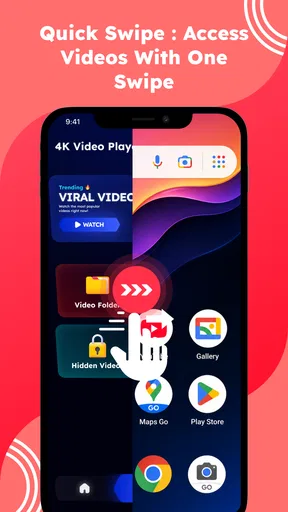
The smart home launcher may also require a change in expectations. I would see it as a convenient starting point rather than automatically assuming it offers every control available in a full smart home platform. If I need detailed device configuration, automation rules, or troubleshooting, the dedicated home app may remain the better destination. Playnix is most valuable here when I want a quick route to familiar actions.
Another question a new user may have is whether the app is suitable for children. Its Everyone rating makes it broadly accessible, but that should not be confused with every section being personally appropriate for every child. The presence of short-form content means I would still guide younger users toward suitable viewing habits and avoid treating the age label as a substitute for supervision.
People may also wonder whether the free price means the app is a low-commitment choice. It certainly makes testing easier, and I can try the core workflow without paying. Still, the real cost is attention: I need to decide whether the combined layout helps me or adds clutter. A free app is worthwhile when it removes friction from a repeated task, not merely because installation costs nothing.
How I would use it after the first day
Once the basics were familiar, I would create a repeatable routine around the app instead of exploring randomly. I would keep everyday clips in the normal viewing flow, reserve the vault for genuinely personal material, and use shorts only when I want quick discovery. The smart home launcher would stay useful if it reduced the number of steps in my household routine; otherwise I would leave it as an optional part of the interface.
I would also review my habits after a few days. Am I opening Playnix because it is genuinely faster than switching between separate apps, or am I opening it and then immediately leaving for another tool? That answer matters more than the feature count. If the combined design helps me complete several related actions, it is a good fit. If I keep searching for a simpler player, the app is probably not solving my actual problem.
For users with older compatible Android phones, I would begin with a modest collection and ordinary clips before making Playnix the main media hub. That keeps the evaluation fair and makes it easier to spot whether the device itself, the files, or the interface is responsible for any friction. On a newer phone, I would still follow the same approach because a clean workflow matters more than filling the app with content immediately.
One advanced but practical workflow is to use the vault as a deliberate review queue. For example, I could place personal clips there temporarily while deciding what to keep, share, or remove, rather than allowing them to remain mixed with casual recordings. This does not turn the feature into a full editing system, but it gives the private area a useful organizational role beyond simple concealment.
My final recommendation
Playnix is a thoughtful option for someone who wants an Android media hub rather than a bare playback screen. I like the way its video viewing, private vault, shorts discovery, and smart home access can support different moments in the same day. The free price and Everyone rating make it easy to try, while the 5.0 version gives first-time users a current package to explore.
My recommendation comes with a clear condition: use it when the combination is the attraction. If you need only the lightest possible player, a dedicated alternative will probably feel cleaner. If you need advanced editing, a specialist editor will be more appropriate. If you need a deeply focused privacy product or a complete smart home control center, those dedicated options may offer more depth.
For me, the best path is to install it, play one ordinary video, test the route into and out of the vault with one clearly identified file, and then decide whether the shorts and smart home sections add value to my routine. That process delivers a meaningful first success without making the app feel complicated. Playnix is at its best when convenience across several media tasks matters more than specialization in just one.
Pros
- Supports HD video playback with sharp
- detailed picture quality.
- Simple home screen makes recently used videos easy to find.
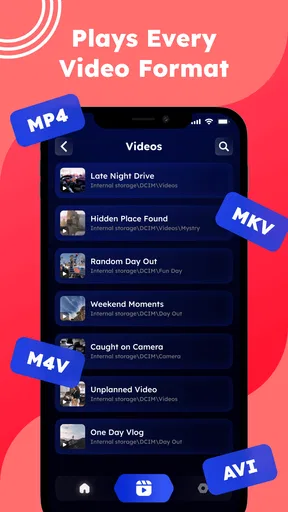
- Handles common video formats without requiring extra conversion.
- Responsive playback controls are convenient for everyday viewing.
- Useful option for watching locally stored videos on mobile devices.
Cons
- Video quality may depend heavily on your phone’s hardware.
- Large files can use significant storage space on the device.
- Subtitle and audio-track support may vary by file format.
- The interface may feel basic for users wanting advanced playback tools.
- Battery usage can increase during extended HD video sessions.
FAQs for Playnix - HD Video Player Home
What is Playnix - HD Video Player Home, and what can it play?
Playnix - HD Video Player Home is designed for watching locally stored videos on a mobile device through a straightforward media-player interface. It is intended to handle common video formats and provide basic playback controls such as play, pause, seeking, volume, screen orientation, and full-screen viewing. Actual format compatibility can vary depending on the device, operating-system version, and the encoding used in each video file.
Does Playnix - HD Video Player Home require an internet connection?
For videos already saved on your phone or tablet, Playnix can generally be used without a continuous internet connection. This makes it useful for watching downloaded clips, personal recordings, or transferred media while traveling. Internet access may still be requested for advertising, updates, support features, or other online components, so offline playback should not automatically be interpreted as completely offline operation in every part of the app.
Is Playnix - HD Video Player Home free to download and use?
Playnix - HD Video Player Home may be available as a free download, but users should check its current store listing for the exact pricing model before installing it. Free versions of media players can include advertisements, optional purchases, or feature limitations. The availability of premium functions, subscription terms, and the presence of ads may also differ between Android and iOS, so reviewing the download page is recommended.
What permissions does Playnix need on Android or iOS?
A video player normally needs permission to access selected photos, videos, files, or media libraries so it can find and play content stored on the device. Newer Android and iOS versions often allow more limited access, such as choosing individual files instead of granting access to the entire library. Before accepting a request, check what is being asked and deny permissions that are not necessary for your intended use.
Is Playnix - HD Video Player Home suitable for high-definition and large video files?
The app is presented as an HD video player, so it is aimed at viewing high-definition content with a clear, smooth playback experience. However, performance depends on the phone or tablet, available storage, video resolution, codec, bitrate, and whether other applications are running. Very large or unusually encoded files may stutter, use significant battery power, or fail to play if the device does not support their format.


